
Courtyard Zen: Quest
HomeTech & Data Solutions, LLCPuzzle
4.8118.00 Reviews
- Version
- 1.1.0
- Installs
- 10.00K
- Age Rating
- Teen
Screenshots
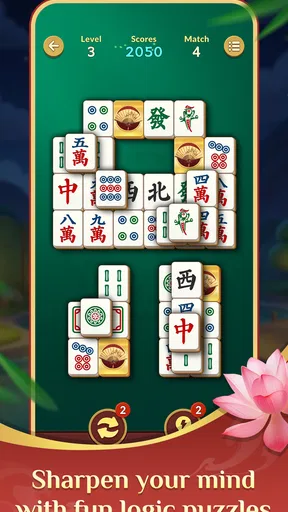
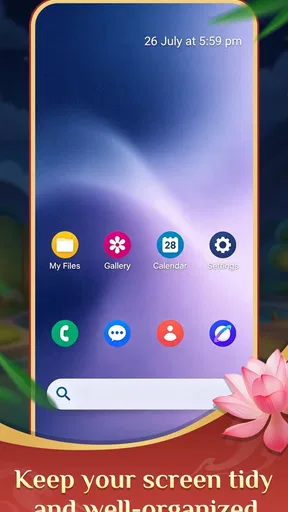
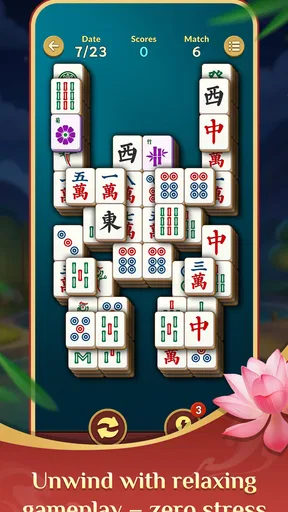
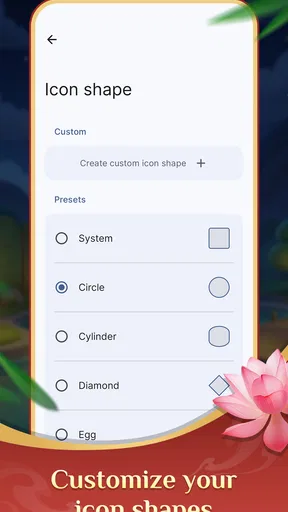
Our Review of Courtyard Zen: Quest
 Analysis by Appyee
I tried Courtyard Zen: Quest as the sort of game that can sit on a shared phone without demanding a long, uninterrupted session. Its identity is slightly unusual: it combines a launcher with app search and a relaxing mahjong-style matching activity. That makes it less like a conventional puzzle title and more like a small utility-and-game space in one place. I found that combination interesting, although it also creates expectations that a focused puzzle game would not have to manage.
The first thing to understand is that this is a free puzzle game from HomeTech & Data Solutions, LLC, rated Teen. It is available for devices running Android 8.0 or newer, and version 1.1.0 is the release I considered here. The game has built a 4.8 average from around 500 ratings, with over 10 thousand installs, so there is already a modest audience using it rather than treating it as an unknown experiment.
How it works on a shared household device
In my experience, the most natural use case is a phone or tablet that several people pick up during the day. One person may open it to find another app, while someone else may use the matching activity for a few quiet minutes. That shared-device role gives the launcher component a practical reason to exist, instead of making the game feel like a puzzle placed beside unrelated menus.
A realistic example would be a household tablet kept in a living room. I might use the app-search side to reach a communication, reading, or entertainment app, then leave the device available for another person. Later, a family member could open the mahjong-style activity for a short break. The appeal is not that it replaces a dedicated launcher or a deep puzzle game; it is that both purposes can live in the same lightweight destination.
That convenience comes with a boundary: the game should not be mistaken for a full household management tool. Its shared-device value comes from flexible access, not from separate family profiles, parental dashboards, or coordination features. I would therefore treat it as a common-space app, not as a system for organizing everyone’s digital life.
The matching activity itself is approachable. Mahjong-style play usually depends on recognizing pairs and planning the order in which tiles are removed, so the basic rhythm is easy to explain to a new player. I like this format for short sessions because it invites attention without requiring the reflexes of an arcade game or the long commitment of a strategy campaign.
For a shared device, that low-pressure rhythm matters. A person can hand over the phone without needing to explain a complicated control scheme. The trade-off is that anyone looking for a large puzzle campaign, a competitive leaderboard, or a substantial progression system may find the experience too contained. The available description establishes the matching activity, but I would not approach it expecting the breadth of a major standalone mahjong collection.
What to expect before installing
The launcher-and-puzzle pairing is the main decision point. If you want a clean, dedicated app finder, your phone’s built-in launcher will usually be more direct. If you want a specialized mahjong game, a traditional matching title will likely give you a more focused presentation. Courtyard Zen: Quest makes sense when you value the overlap: quick access to apps and a calming activity in one package.
I also appreciate that the price is free, because it lowers the risk of testing an unusual format. A household can try it without turning the decision into a purchase discussion. Still, free does not automatically mean frictionless. The real question is whether the combined design feels useful on your device. On a personal phone with an already comfortable home screen, the launcher element may add little. On a device used by different people, it can feel more relevant.
The Teen content rating is another point worth taking seriously in a shared setting. I would not hand the device to a younger child on the assumption that a calm-looking matching game automatically makes the entire app suitable for children. The rating is part of the decision, especially when the device is shared across different ages. Adults should make the call for their household rather than judging only from the relaxed visual idea suggested by the title.
Setup boundaries and everyday handoffs
When I evaluate an app for shared use, I pay attention to what happens before anyone starts playing. A launcher can affect how people reach other apps, while a game can become a distraction when someone only intended to search. My practical advice is to decide who the main user is and what role the app should have before placing it at the center of a shared device.
If the device belongs primarily to one person, I would keep the app as a secondary option and avoid treating it as a replacement for the established home-screen arrangement. If the device is communal, I would explain the two functions clearly: app search for navigation, matching for leisure. That simple explanation prevents the game from being used as though it were a complete household dashboard.
There is also a useful handoff habit here. Before giving the device to someone else, return to the launcher or a neutral screen instead of leaving an unfinished puzzle open. That makes the next person’s experience less confusing and avoids implying that the previous player’s session is a shared task. It is a small routine, but it matters more on a device that moves between people.
I would also avoid building household routines around an assumed account structure. The app may be perfectly fine for casual turn-taking, but I would not promise separate progress, private spaces, or individual histories unless the interface explicitly provides them. In a family setting, the safest expectation is that this is one app on one device, with people coordinating informally.
That limitation is not necessarily a flaw for solo users. On my own phone, I can simply use it when I want the matching activity and ignore the launcher side when I do not. The concern appears when several people assume that the app will remember who did what or protect one person’s space from another. For that situation, a dedicated multi-user environment would be the better choice.
Coordination without turning play into a chore
The strongest shared-device advantage is the ease of passing the experience from one person to another. Mahjong-style matching is visually understandable, so a new player can usually begin by looking at the board rather than reading a long manual. I found that helpful for casual use, particularly when the goal is to relax rather than learn a complex ruleset.
A useful household approach is to keep turns informal. One person can use the app-search function when they need navigation, while another can take the puzzle activity during a quiet pause. There is no need to treat the device like a formal game table. This works best when everyone understands that the app is a shared option, not a reservation system.
For people who enjoy solving together, the board can also become a conversation point. Instead of silently handing over a completed result, a player can ask another person which pair looks safest to remove next. That creates a cooperative moment without requiring a built-in multiplayer mode. I am careful to describe this as a way to use the app, not as a confirmed feature: the value comes from people sharing the screen and discussing choices.
That distinction matters because the title should not be selected by someone specifically seeking online competition or synchronized play. I would choose a dedicated multiplayer puzzle for that purpose. Courtyard Zen: Quest is better suited to adjacent participation, where people are in the same room and the device changes hands naturally.
Another practical tip is to use the matching activity as a transition rather than a default background habit. For example, after finishing a short household task, I might spend a few minutes matching tiles before returning to the day. Because the app also helps locate other apps, it can be tempting to open it for navigation and then drift into play. Keeping a clear intention makes the combination feel convenient instead of distracting.
For a shared phone, I would also agree on a simple rule about app discovery. If someone is only searching for an app, they should use the search function and leave the puzzle for later. That sounds obvious, but combined-purpose apps can blur the line between utility and entertainment. The design works best when the household recognizes both roles rather than letting one unexpectedly interrupt the other.
Age, trust, and the meaning of the Teen rating
The Teen rating changes how I would recommend the game in a family environment. The matching activity may sound gentle, but a rating applies to the complete app experience, not just the central puzzle idea. If younger users share the device, an adult should review the app in context and decide whether it belongs there.
I would be especially cautious with a device that children use independently. The launcher and app-search function make the app more connected to the rest of the phone than a sealed, single-purpose puzzle. That does not make it unsuitable for every household, but it does mean that trust and supervision matter more than they would with a simple offline board game.
At the same time, the Teen rating does not make it a poor choice for older teenagers or adults who want a calmer puzzle break. For those users, the age context is straightforward: the app can be considered as part of the broader device experience, rather than judged solely by its relaxing theme. I would recommend it to a household that is comfortable making that distinction.
Privacy and account boundaries deserve a practical interpretation. I would not use a shared device for sensitive searches or personal navigation without first checking who can see the screen and what the device already exposes. That is not a claim about a hidden policy or permission; it is ordinary shared-device caution. A launcher-style interface can make access convenient, but convenience should not replace personal boundaries.
For adults sharing one tablet, the main trust issue is less about competition and more about accidental interference. If one person expects a private setup while another treats the device as communal, frustration can follow. I would discuss where the app belongs, who normally uses it, and whether the puzzle is a casual activity or a personal routine. Those expectations are more important than any decorative theme.
Where it stands beside familiar alternatives
Compared with a phone’s standard launcher, Courtyard Zen: Quest offers a more playful destination because app discovery sits beside a relaxing matching activity. The standard launcher wins for speed and predictability, especially when I am trying to reach an app immediately. Courtyard Zen: Quest wins when I want navigation and a small puzzle break to feel connected rather than completely separate.
Compared with a dedicated mahjong-style game, this title is less specialized by design. A focused puzzle app is the better choice for someone who wants the game to be the whole experience, with no launcher role competing for attention. I would pick Courtyard Zen: Quest for variety and shared-device convenience, not for the deepest possible puzzle presentation.
It also differs from a general casual-game collection. Those collections often offer many unrelated activities, while this app’s identity is narrower: app search paired with one relaxing matching style. That narrowness can be a strength for people who dislike clutter. It can also be a weakness if you want several kinds of games without installing anything else.
The most important trade-off is focus versus flexibility. A traditional launcher is focused on navigation. A standalone puzzle is focused on play. This app deliberately occupies the middle. I found that appealing in short sessions, but I would skip it if my priority were either a highly optimized home screen or a long-term puzzle challenge.
Who should use it, and who should skip it
I would recommend it to someone who likes calm matching puzzles, wants a free option, and appreciates having app search close to a casual activity. It is particularly suitable for a shared household device where people may use the same screen for different reasons throughout the day. The combination is distinctive enough to justify trying rather than dismissing it as another ordinary puzzle.
I would also consider it for an adult or older teenager who wants a low-pressure break without installing a large game. The Teen rating should guide the decision, but for the intended age group the format is easy to understand and flexible enough for short visits. The current version, 1.1.0, is a sensible starting point for anyone evaluating the app as it stands now.
I would skip it if you already have a launcher you trust and never want entertainment mixed into navigation. I would also skip it if you are looking for competitive multiplayer, a clearly separated family account system, or a substantial puzzle campaign. In those cases, choosing specialized alternatives will reduce confusion and better match the purpose of the device.
Another reason to pass is if the Teen rating does not fit the youngest people who regularly use the phone or tablet. A pleasant name and mahjong-inspired activity are not enough to override the age context. For a child-focused device, I would choose an experience designed and rated for that audience instead.
My household verdict
After using it as both a utility-like entry point and a puzzle, I see the shared-device balance as its defining strength. It is not trying to be the most powerful launcher or the most elaborate mahjong game. Instead, it gives a household one compact place where app discovery and a calming matching activity can coexist.
That design works when expectations are modest and communication is clear. I would install it on a communal tablet if the adults and older users understood that it does not replace personal account boundaries or formal family controls. I would keep the handoff informal, treat the puzzle as an optional break, and avoid assuming that one person’s activity is separated from another’s.
My final recommendation is positive but specific. Try it if you want a free puzzle with an unusual launcher connection and your household values casual, turn-taking use. Keep the Teen rating in mind, and choose a conventional launcher or dedicated mahjong game when focus, privacy separation, or deeper specialization matters more than having both functions together.
For me, that makes Courtyard Zen: Quest a niche but worthwhile choice rather than an all-purpose replacement. Its best moment is a quiet shared device, a quick search for an app, and a few minutes of thoughtful matching afterward. If that scenario resembles how you use your phone or tablet, the combination has genuine practical charm.
Verdict
Strengths of Courtyard Zen: Quest
- Relaxing gameplay suited to short, casual sessions.
- Gentle visual style creates a pleasant, low-pressure atmosphere.
- Simple controls make it accessible for most players.
- Puzzle progression offers a steady sense of accomplishment.
- Works well as a calming break between daily activities.
Limitations of Courtyard Zen: Quest
- Some objectives may feel repetitive after extended play.
- Progress can be slow for players seeking constant action.
- Limited challenge may disappoint experienced puzzle gamers.
- Certain areas or features may require patience to unlock.
- The tranquil pace is not ideal for fans of fast gameplay.
Similar Picks in This Category
View All
Block Blast!
HungryStudio4.8

Braindom: Brain Games Test
Lahana Game Studio4.6

AMAZE!
CrazyLabs LTD4.6

Sudoku - Classic Sudoku Puzzle
Oakever Games4.7

Art Puzzle - Puzzle Games
Easybrain4.8

Amaze GO!
Oakever Games4.9
Frequently Asked Questions
What is Courtyard Zen: Quest, and how is it played?
Courtyard Zen: Quest is a relaxing puzzle and progression game centered on restoring and developing a peaceful courtyard. Players typically complete short challenges, solve matching or logic-based puzzles, and use earned rewards to unlock decorations, areas, or story elements. Its calm presentation makes it suitable for casual sessions, although progress may become more structured as new objectives and mechanics are introduced.
Is Courtyard Zen: Quest free to download and play?
The game can generally be downloaded at no initial cost, allowing players to try its core experience without purchasing it upfront. However, free-to-play games may include optional in-app purchases for currency, boosters, extra moves, cosmetic items, or faster progress. Before downloading, parents and users should review the store listing and device purchase settings, especially if the application will be used by children.
Does Courtyard Zen: Quest require an internet connection?
An internet connection may be needed for the first download, updates, advertisements, cloud features, account synchronization, or in-app purchases. Some gameplay sections may work offline, but this can vary by device version and the feature being used. If you plan to play while traveling, it is best to test the game without Wi-Fi and check whether rewards, progress saving, and level access continue to function normally.
Is Courtyard Zen: Quest suitable for children and casual players?
The peaceful theme and accessible puzzle format may appeal to casual players, families, and people looking for a low-pressure game. Nevertheless, suitability depends on the presence of advertisements, optional purchases, online features, and the difficulty of later challenges. Adults should check the current age rating, privacy information, and parental-control options before allowing younger players to install it or make purchases.
What devices support Courtyard Zen: Quest, and how much storage does it need?
Compatibility depends on the version released for Android or iOS, so you should confirm the minimum operating-system requirement on the official store page before downloading. The initial application size may not include additional files downloaded after installation, such as graphics, updates, or event content. Keeping extra free storage available can help prevent installation problems and improve performance on older phones or tablets.
Play our best games!


